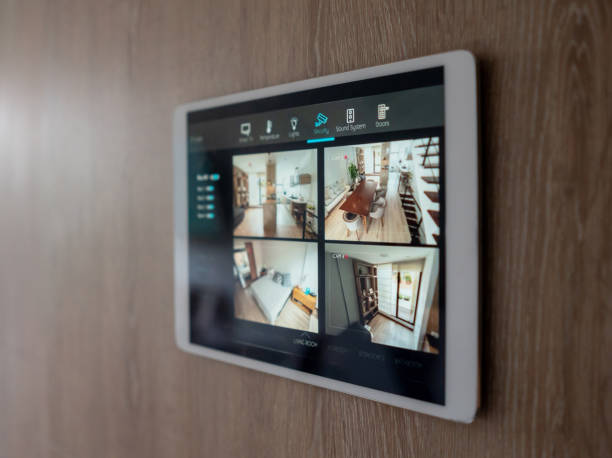

You can invest in the finest smart switches, the most sophisticated security cameras, and the most luxurious motorised blinds — but if your home network is poor, the entire system will frustrate you. Nothing undermines confidence in a smart home faster than a light that does not respond to a voice command, a camera that buffers on the live feed, or a door lock that fails to acknowledge a remote unlock request. The network is the foundation, and it deserves as much attention as any device on top of it.
Why Home Networks Often Fail
Standard internet service providers (ISPs) in India supply a single Wi-Fi router positioned, typically, near the main entry point of the home. This router serves adequately for a few laptops and phones in the immediate area. But a smart home with 30, 40, or 50 connected devices — spread across multiple rooms, floors, and outdoor areas — overwhelms a standard single-router setup entirely.
Dead zones in distant rooms mean sensors disconnect. Overcrowded 2.4GHz channels cause interference and dropouts. Consumer-grade routers simply cannot handle the device density that a complete smart home demands. A professional home automation company in nagpur addresses the network from the outset, treating it as part of the smart home infrastructure rather than an afterthought.
Mesh Wi-Fi Systems
The most effective solution for most Indian homes is a mesh Wi-Fi system. Multiple mesh nodes are placed throughout the home — typically one per floor or one per zone in a large bungalow. All nodes form a single seamless network. Devices connect to whichever node provides the strongest signal and hand off transparently as you move through the home.
Premium mesh systems from brands like Eero, Ubiquiti, or TP-Link Deco handle 50+ smart home devices without strain and provide coverage to every corner of the property including the garden and garage.
Separating IoT and Personal Devices
Security best practice in smart homes is to keep IoT (Internet of Things) devices on a separate network segment from personal computers and phones. This is typically achieved through a dedicated IoT VLAN (Virtual Local Area Network) or a separate guest network. If a smart device is compromised by a cyberattack, it cannot reach your personal data on the isolated main network.
Configuring this separation requires a managed router — a step beyond consumer hardware that a home automation company in nagpur familiar with network security will implement as standard on premium installations.
Wired Connections for Critical Devices
Wherever possible, high-bandwidth or latency-sensitive devices should be connected via Ethernet cable rather than Wi-Fi. This includes the smart home hub or controller, NVR for security cameras, home theatre components, and desktop computers. Wired connections are faster, more reliable, and free up wireless spectrum for devices that cannot be wired.
Structured cabling — CAT6 network points in key locations throughout the home — should be planned and installed during construction. Retrofitting network cabling is possible but messy. When commissioning a new home, discuss structured network cabling with your home automation company in nagpur before walls are finished.
Powerline and MoCA Adapters
For existing homes where running Ethernet cable is impractical, powerline adapters (which transmit data through existing electrical wiring) and MoCA adapters (which use coaxial cable) provide faster and more stable connections than Wi-Fi for fixed devices. These technologies bridge the gap between full Ethernet and pure wireless, and are a practical solution in many retrofit scenarios.
Network Management and Monitoring
A well-run smart home network benefits from active management. Managed switches allow network traffic to be prioritised — security camera footage and smart home commands are prioritised over background app updates. Network monitoring tools alert you when a device drops off the network or when unusual data patterns suggest a security concern. These management tools are configured by professional installation teams and operated through a simple dashboard.
ISP and Bandwidth
Smart home devices typically consume relatively modest bandwidth — sensors, switches, and controllers use kilobytes, not megabytes. The bandwidth-intensive elements are security cameras (especially multi-camera 4K setups) and voice assistants. A 100Mbps fibre connection, widely available in Nagpur from providers like Jio Fiber and BSNL Fiber, is more than adequate for a fully automated home with 4-6 cameras.
Getting the Network Right From the Start
The most important message about smart home networking is: plan it first. Before purchasing a single smart device, invest in a robust, professionally configured network. Everything built on top of that foundation will perform reliably and bring joy rather than frustration. Any credible home automation company in nagpur will assess your network infrastructure as the first step of any smart home project.